How a Small Update Almost Deleted My Entire GPS History – And What I Learned From It
Posted on July 4, 2026 • 12 min read • 2,357 words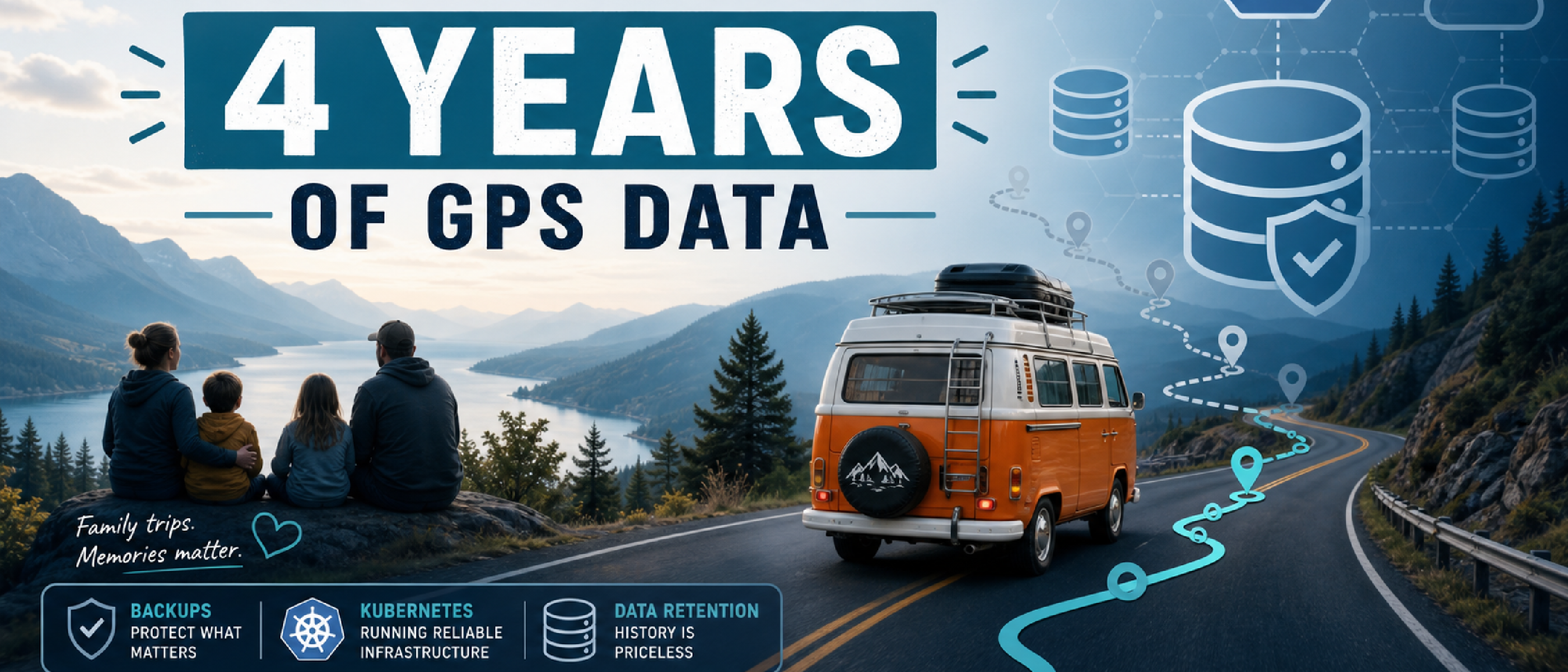
TL;DR
- A hidden TimescaleDB retention policy almost deleted four years of my self-hosted Traccar GPS history.
- The policy came from the database layer, not from the Traccar config I usually checked.
- I was able to restore my full history from backups, remove the retention jobs, and stop the silent cleanup.
- That incident pushed me away from file-level backup thinking and towards a Kubernetes-native PostgreSQL setup with CloudNativePG, Barman Cloud, MinIO, Longhorn, and GitOps.
- You do not need to copy my full stack to learn from this, but you should make sure your backups are real, restorable, and aligned with the data you actually care about.
I’ve been living with self-hosted infrastructure for years: email, messaging, photo storage, home automation, and all the small services that quietly support everyday family life.
One of those services is Traccar. Over time, it became much more than a GPS tracker for me. It turned into a private archive of our life with our campervan: road trips across Europe, family travel, everyday driving, detours, and all the movement data that slowly became part of your memory.
This is the story of how I almost lost four years of that GPS history because of a hidden auto-delete rule inside my database, and how that incident pushed me to build a much more robust setup.
If you self-host services at home and think “my backups are probably fine”, this post is for you. You do not have to copy my full Kubernetes stack, but you should know that seemingly simple backup setups can fail in subtle ways.
My Original Traccar Setup
At the time, my Traccar stack was simple and very typical for a homelab:
- Traccar as the GPS tracking server
- PostgreSQL as the main database
- TimescaleDB on top of PostgreSQL for time-series data
- Docker Compose on a single host
- Local bind mounts for persistent storage
- Syncthing mirroring the storage directory to my NAS
- Borg on the NAS creating daily backups of that mirrored directory
That setup fit neatly into the rest of my self-hosted world. I already ran multiple Docker Compose stacks across my NAS and VPS, and I used WireGuard to connect locations, devices, and even our van network back home. Traccar was also part of my Home Assistant ecosystem, where location data feeds into automations and presence-aware logic.
From a practical point of view, this setup felt solid.
- Docker Compose gave me explicit control.
- Bind mounts made the storage path obvious.
- Syncthing ensured the data did not live on only one machine.
- Borg gave me versioned backups on the NAS.
For photos, documents, and config files, that kind of layering works really well. For a live PostgreSQL database, however, it is only a partial answer. It protects files, but it does not automatically give me database-aware, transactionally consistent, tested recovery.
At the time, I had never done a full restore test of the Traccar database from those Borg backups. I knew I had redundant copies of the data directory. I did not actually know how cleanly that database would come back in a real recovery scenario.
The First Symptom
The incident started with something small.
I opened the Traccar map view to look up a route and noticed that a few older trips I clearly remembered simply were not there.
My first thoughts were harmless enough:
- maybe I had enabled a filter without noticing,
- maybe the UI had a bug,
- maybe the browser cache was stale.
But the more I checked, the clearer it became: this was not a frontend issue. Entire parts of my GPS history were missing, especially older data beyond roughly one year.
For someone using Traccar as a rolling cache of recent movement, that might not be dramatic. For me, it was a serious problem. The whole point of this service was long-term history: years of campervan travel, everyday life, and routes I wanted to be able to revisit.
And the critical part was this: I had never intentionally configured any retention policy to delete old data.
First Check: Traccar
My first instinct was to blame myself and the application config.
Maybe I had enabled some cleanup setting months ago and forgotten about it.
So I checked:
traccar.xml- included defaults
- custom scripts
- cron jobs
- anything that could run a cleanup or SQL delete in the background
I found nothing. No obvious retention settings. No cleanup scripts. No scheduled deletion logic.
So if Traccar was not deleting the history, something lower in the stack was.
The Big Idea
In simple terms, my database had an invisible “auto-delete after one year” rule that I never realized was there.
It was not configured in the Traccar UI or in the main Traccar config file. It lived inside TimescaleDB’s own automation system as a background job, and it quietly removed older data over time.
That is the part I want lighter readers to take away: your application is not always the only place where important behavior is defined. Sometimes the dangerous default lives deeper in the stack.
The Deep Dive: TimescaleDB Retention Jobs
Because Traccar uses TimescaleDB on top of PostgreSQL, the next logical place to look was TimescaleDB’s own job framework.
TimescaleDB can run background jobs for things like compression, aggregates, and retention. Retention means exactly what it sounds like: keep data for a defined time, then automatically remove older chunks.
If you are not comfortable with SQL, the important message is simply this: your database can have its own automatic cleanup rules.
If you are comfortable with SQL, this is how I checked my system:
SELECT *
FROM timescaledb_information.jobs
WHERE proc_name = 'policy_retention';
That query showed retention jobs attached to the Traccar tables that hold historical data, including the positions table. Their configuration told TimescaleDB to drop data older than about one year.
So what I was seeing on the map was not mysterious at all. It was exactly what these jobs were designed to do.
- The deletion was not in the Traccar config.
- It was not in a shell script.
- It was not in cron.
- It was a database-level background job.
That was fascinating from a technical perspective and deeply uncomfortable from an operational one.
How Did the Policy Get There?
The crucial detail is that I had never consciously added those retention policies myself.
The most likely explanation is an upstream integration change related to TimescaleDB support in Traccar. In other words, I updated software, the integration improved in one area, and a destructive default appeared in another.
From a time-series database perspective, a one-year retention policy can make sense. For some telemetry workloads, deleting old data is exactly what you want.
But that was absolutely not my use case.
I was not storing disposable metrics. I was storing a personal archive of journeys, routes, and years of movement history. If I had not caught this in time, I would have lost around four years of GPS history.
That was the moment where the issue stopped being “an interesting bug” and became a reminder that defaults are never neutral.
Recovery: Saved by Backup and Timing
Luckily, two things worked in my favor.
First, I noticed the problem before even more history was deleted. Second, my existing backup chain still contained the older data.
That meant I could:
- restore the PostgreSQL and TimescaleDB data from backup,
- remove the TimescaleDB retention policies from the affected hypertables,
- verify that no more retention jobs were active.
Removing the policies looked like this:
SELECT remove_retention_policy('public.tc_positions');
SELECT remove_retention_policy('public.tc_events');
SELECT remove_retention_policy('public.tc_actions');
And then I verified again:
SELECT *
FROM timescaledb_information.jobs
WHERE proc_name = 'policy_retention';
After that, my historical data was back and the silent deletion path was gone.
So yes, my old backup strategy did save me.
But it also exposed a weakness I could no longer ignore.
What This Changed for Me
This incident changed the way I think about backups.
Before that, I mostly thought in layers of file protection:
- keep the service data on disk,
- mirror it elsewhere,
- back it up regularly,
- assume recovery will probably work.
That is not the same thing as a proper database recovery strategy.
What I took away from this:
- Redundancy is not the same as restore confidence.
- File-level backups are not automatically database-consistent backups.
- A backup only counts when I know how to restore it.
- Hidden automation inside the database deserves explicit monitoring.
- Long-term personal data deserves more serious protection than “best effort”.
This was not just a technical lesson. It was also a mindset shift. I stopped treating PostgreSQL as “just another directory to copy” and started treating it as a first-class system with its own recovery model.
My New Direction: CloudNativePG, Barman, MinIO
Given my background in Kubernetes, DevOps, and infrastructure, the natural next step for me was to move toward a database setup that is much more intentional.
The target architecture I am building towards looks like this:
- k3s as the Kubernetes foundation
- CloudNativePG to manage PostgreSQL clusters
- the Barman Cloud plugin for base backups and WAL archiving
- self-hosted MinIO as the S3-compatible backup target
I already have a first prototype of this setup running with Listmonk. That gave me a safe place to learn how the operator behaves, how the backup flow works, and how restore procedures feel before moving something as important as Traccar.
The key difference is conceptual.
Instead of indirectly protecting database files with general-purpose file replication and backups, I now want PostgreSQL-aware backup and recovery:
- base backups,
- WAL archiving,
- point-in-time recovery,
- and clearly defined restore procedures.
That is a much more serious answer to the question “how do I recover this data if things go really wrong?”
Storage in the New World
In my k3s cluster, I also added Longhorn as the storage layer for persistent volumes.
That means:
- PVs and PVCs are managed through Kubernetes,
- Longhorn handles the actual storage,
- and Longhorn backups go to my NAS over NFS.
In practice, this replaces the role Syncthing used to play in my old Docker Compose world. The difference is that the responsibilities are much cleaner now.
- Longhorn helps me with volume-level recovery and infrastructure-related failures.
- CloudNativePG plus Barman Cloud handles PostgreSQL-native backup and restore.
That separation matters. I no longer expect one backup mechanism to solve every problem.
Worst-Case Recovery: I Deleted the Cluster on Purpose
What really convinced me that this new setup is not just theoretically better was a deliberate worst-case recovery test.
By that point, I already had services like Listmonk, Homarr, and CyberChef running on k3s. So I decided to simulate disaster properly.
I effectively deleted all my k3s nodes.
- I wiped the disks in Proxmox.
- I created new VMs.
- I bootstrapped k3s again using an Ansible playbook.
- I waited for the cluster controllers and components like Longhorn to come back from Git.
Once the platform was back, I restored the Longhorn volumes from backup and recovered the database backup from MinIO. Then I brought the services back online and checked that the data was intact.
That let me test the absolute worst case: everything is gone, and I need to rebuild from scratch.
Seeing that:
- the infrastructure could be recreated,
- the storage could be restored,
- and the database could be recovered cleanly,
was the point where I started to trust this setup for real.
You do not have to go this far to build a good self-hosting setup. I do this kind of testing because it is part of my professional mindset and because I genuinely enjoy understanding failure paths.
For most people, it is already a huge step forward to:
- have a backup,
- know where it is,
- know how to restore it onto a new machine,
- and do at least one dry-run restore before a real incident happens.
That is the real message here. You do not need to rebuild Kubernetes clusters from bare metal to improve your backup story. But you do need at least one serious restore test.
GitOps and Fewer Surprise Changes
This incident was not only about backups. It was also about change control.
Part of the reason I am moving more of my infrastructure into k3s is that I also want a cleaner GitOps workflow with Argo CD.
That means:
- manifests in Git,
- explicit configuration history,
- tagged image versions,
- and a much clearer path between “this changed” and “this behavior appeared”.
In the old world, it was easier for subtle behavior changes to hide behind “I updated the stack a while ago”.
In the new world, I want far less ambiguity.
If something changes, I want to know when it changed, why it changed, and how to roll it back.
Why This Matters
On the surface, this is a story about Traccar, TimescaleDB, and a retention policy.
For me, it is also a story about family memory, about trust in self-hosted systems, and about learning where “good enough” stops being good enough.
A small hidden auto-delete rule almost cost me four years of GPS history.
The only reason I still have that data is that some of my backup layers were good enough to save me this time, and that I noticed the problem before the damage went further.
Yes, the setup I am moving toward is more complex than a single Docker Compose stack with Syncthing and Borg.
But that complexity buys me something very concrete: it turns “I hope this works” into “I have tested the worst case and know how recovery behaves”.
You do not need to replicate my exact stack to benefit from this story.
A very good place to start is simply this:
- Check whether your database has automatic cleanup rules you did not intend.
- Make sure at least one backup has actually been restored successfully.
- Be honest about whether your current setup protects files, databases, or both.
If this all sounds a little overwhelming, that is okay. Self-hosting gets more complex the moment the data starts to matter.
The important part is not that everyone should run Kubernetes. The important part is recognizing that real backups are more than scheduled copies, and that the data you care about deserves a recovery strategy that has been tested before you need it.