Your Family's Cloud, Part 3: The Hardware and Infrastructure Behind It All
Posted on July 17, 2026 • 19 min read • 3,979 words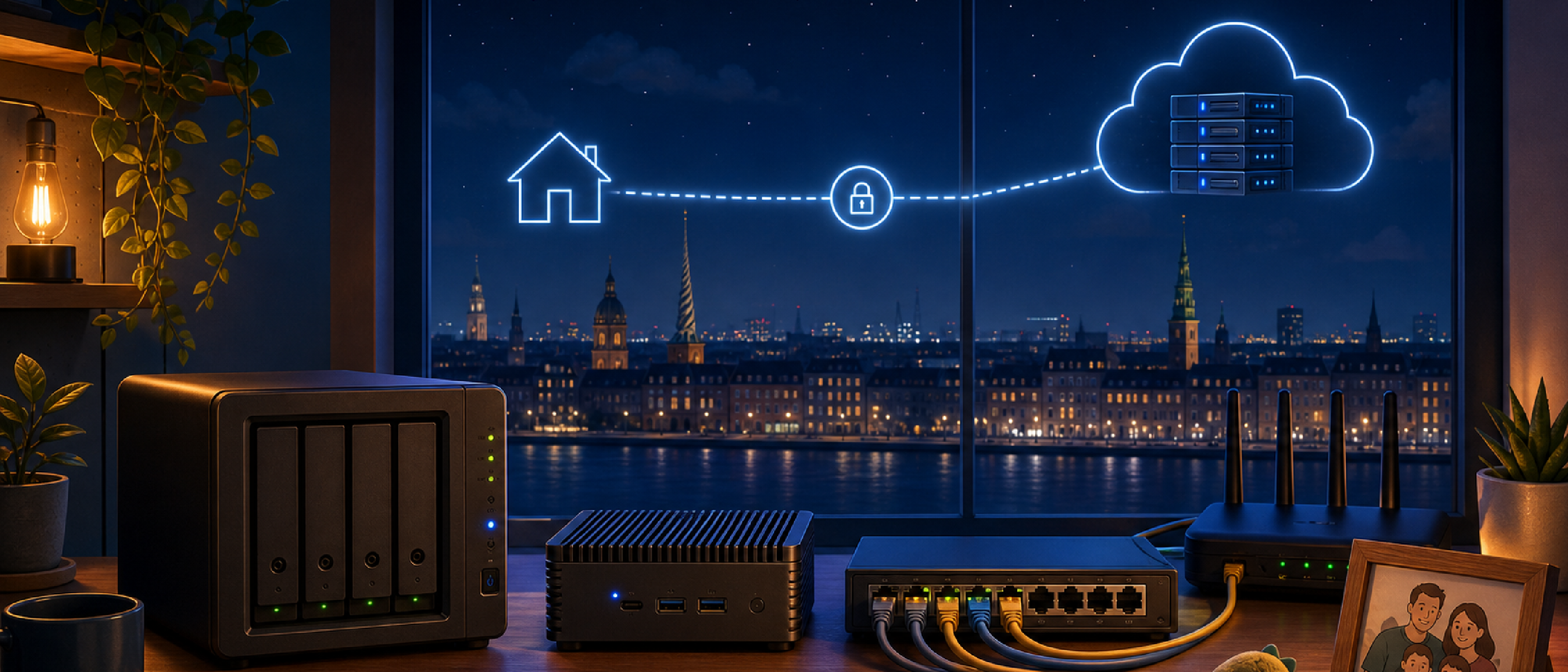
TL;DR
- This is Part 3 of the “Your Family’s Cloud” series. Part 1 covered which self-hosted services survived everyday family life, Part 2 covered how we access them securely from anywhere. This part covers the actual hardware and infrastructure underneath.
- Our family cloud spans three sites connected by WireGuard in a star topology: home (router, Proxmox host, Synology NAS), a Hetzner VM + Storage Box, and an edge node at my in-laws’ house.
- Instead of strict rules for “what runs where,” we follow a few simple principles: keep IO-heavy services close to their storage, expose services where you can do so securely, and remember that cloud VMs can be fixed remotely while a dead home server usually cannot.
- The setup evolved over roughly a decade, from a Raspberry Pi and a repurposed old laptop, to a proper NAS, and eventually to a dedicated Proxmox host and a reliable VPS at Hetzner, mostly driven by real failures and growing pains, not a grand plan.
- On the application level (unified photo libraries, self-hosted SSO in front of anything), our setup now does things regular cloud providers simply cannot. They still win on raw hardware reliability and low-effort maintenance.
- You do not need three sites to get started. One old laptop or desktop plus a single service is a completely valid starting point.
Part 3 of the “Your Family’s Cloud” series. Part 1 covered which services survived everyday family life. Part 2 was about how we safely access them from anywhere. This time, we go underneath: the hardware and infrastructure that make all of this feel like magic to my family, while still being something I can actually maintain.
By the time our homelab reached its current maturity level, something funny happened: the usability and possibilities started to grow beyond what regular cloud providers can easily offer us.
Our photo setup is the clearest example. PhotoPrism scans all the photos my wife and I upload to Nextcloud, even though we each have our own account. It also scans all our DSLR photos, which live directly on the NAS. In total, that is now more than 3 TB of photos. In Google Photos, this would be expensive, and honestly kind of impossible: two separate accounts, no unified view, and no way to mix in the DSLR archive at all. With one PhotoPrism instance running on our own hardware, I can aggregate all of these sources and present a single, unified view for our family. If someone ever wanted a private view instead, I could simply spin up a second PhotoPrism instance that only scans their slice of photos.
That kind of flexibility is close to impossible to get from a regular cloud offering. It only shows up once you run the tools yourself and are fully in control of the data underneath them. I am fairly confident that on the application level, our home-grown setup now exceeds what most cloud vendors offer us. Big cloud providers still win clearly on hardware, raw reliability, and low-effort maintenance, and this article is really about how I try to borrow some of that reliability without losing the flexibility.
I do not really feel like the single point of failure in all of this. I feel more like the magician who takes old, simple hardware and turns it into something that quietly behaves like our own private Google, minus the data mining.
Three Sites, One Star Topology
Today our family cloud spans three locations.
- At home, we run a router, a Proxmox VE host, and a Synology NAS.
- In the cloud, we have a virtual machine and a Storage Box at Hetzner.
- There is also an “edge” node at my in-laws’ house, based on an Intel NUC that used to run in my own homelab years ago.
All three sites are tied together by WireGuard, a modern VPN that creates an encrypted tunnel between sites, like a private, always-on cable between our home network and the VPS. We use a star topology with the Hetzner VM at the center, simply because that is the node I can keep most reliably available.
Two of these sites have static public IP addresses: the Hetzner VM and our home router. That gives us flexibility. When we expose a service to the internet, it can be published either through the VPS or through the home router. In both cases, traffic hits a proper DNS name and TLS is terminated in an ingress layer, either NGINX in front of our k3s cluster or NGINX on the Hetzner VM. From a visitor’s perspective there is no real difference. The split is based on where the target service actually lives, not on which IP address the traffic happens to exit through.
A Few Principles, Not Strict Rules
With three sites and a growing list of services, it would be tempting to write down a strict rulebook for “what runs where.” In practice, I find it far more useful to follow a handful of principles and let them guide each decision individually.
- IO-heavy services should run as close to their storage as possible. Anything that constantly reads and writes large amounts of data benefits from sitting right next to the disks, not on the other end of a WireGuard tunnel.
- Exposure should happen where I can do it securely, at the availability level I actually need. Not every service needs five-nines uptime; some can happily live behind a home connection that occasionally hiccups.
- A VPS can usually be fixed on the go. If something breaks while we are on the road with the van, I can log into the Hetzner console from a laptop or even a phone, reboot the VM, or drop it into rescue mode. That works from almost anywhere with an internet connection.
- A home outage is a different story. If our ISP fails or a server at home hangs, there is no practical remote way to fix it. Nobody can walk over and press the reset button from a campsite three countries away.
- One site is absolutely enough to start. A single box at home already teaches you most of the important concepts. You do not need three sites, or even two, to begin.
These principles, more than any fixed table of “service X always goes on host Y,” are what actually guide how I distribute workloads across our home, our VPS, and the edge node.
Home Site: Router, Switch, Proxmox, and NAS
The home site is where most of our compute and all of our long-term storage live. It is also where everyday life happens, which means the hardware has to stay understandable and maintainable for a busy family, not just for me.
Router and OpenWrt as the Network Brain
The heart of the home network is a GL.iNet MT6000 router running OpenWrt. It acts as a WireGuard client to the WireGuard server on the Hetzner VM, which makes the WireGuard network reachable from our entire LAN, and lets the Hetzner VM reach back into our home network when needed. On top of that, the router runs AdGuard and a few DNS rewrites, so that internal hostnames resolve the way our services expect them to.
For incoming traffic, ports 80 and 443 on the router are forwarded to the Kubernetes Ingress running on our Proxmox-based virtual machines. Many of the services we expose to the internet go through this exact path: a visitor’s browser resolves a DNS name, TLS is terminated in the k3s ingress, and traffic is routed to the right service inside the cluster. From the outside, this looks very similar to how things work on the Hetzner side. The real difference is simply whether the workload lives at home or in the cloud, following the principles above.
A Simple 2.5 Gbps Switch That Matters
Between the router and my core machines, I use a small Sodola managed switch. It is not fancy, but it gives me 2.5 Gbps Ethernet links to both the NAS and the Proxmox host, plus basic VLAN management. That extra bandwidth matters when several services hit the NAS at the same time, especially when the Kubernetes cluster mounts NFS volumes for stateful workloads.
Having VLANs available also lets me isolate noisy or experimental segments of the network without replacing the whole switching setup. For a homelab that evolves over years, this kind of modest but flexible hardware turns out to be more than enough.
Proxmox VE: Dedicated Compute for a Growing Family Cloud
The heavy lifting now happens on a Minisforum UM890 Pro running Proxmox VE, a platform for running many virtual machines and containers on one physical box. It is built around an AMD Ryzen 9 8945HS, with 96 GB of RAM and a 2 TB NVMe SSD. On top of that, we run:
- A small k3s cluster as four virtual machines (ds2 through ds5). k3s is a lightweight Kubernetes distribution that lets me treat many small services as one cluster, instead of a pile of individually managed containers.
- Separate VMs or LXC containers for tools like Kasm, Home Assistant, and Ollama.
This dedicated compute node exists because, at some point, our Synology NAS simply could not keep up with the number of services we were running. The NAS is excellent at storing data and taking snapshots. It is far less ideal as a general-purpose compute platform once you start piling on more and more workloads.
Synology NAS: The Long-Term Memory
Our Synology DS920+ is the long-term memory of the family cloud. It runs four 4 TB Seagate IronWolf drives in RAID 5, plus a 500 GB NVMe SSD for Docker workloads that benefit from faster IO. Like most Synology setups, it has several volumes configured; the important ones for this story are:
mainholds our primary private data.usbshare, on the external NVMe SSD, stores Docker-Compose workloads such as databases.longhornis a share used as a backup target from the Kubernetes cluster.
Access inside the network is over NFS with IP-based restrictions. The NAS still runs some experimental services and anything that needs a lot of local file access, like our backup jobs, Plex for media streaming, and Syncthing for synchronizing data from the Hetzner VM.
Daily snapshots cover all volumes on the NAS. Backups to the Hetzner Storage Box, however, only cover the relevant folders inside those volumes, not entire raw volumes. That keeps backup size and duration manageable, while still giving us the safety net that matters most.
The key shift over time was this: the NAS stopped being the place where everything ran, and became the place where important state is stored and protected. Compute can move or be rebuilt; the NAS is where I expect our data to survive.
Hetzner VM and Storage Box: The Always-On Public Face
The Hetzner VM is the public face of our family cloud. It has a static IP address and exposes ports 80 and 443 to the internet. On that VM, we run most workloads via Docker Compose, fronted by an NGINX reverse proxy manager that handles TLS termination and routes traffic to the right containers.
This is where we put services that must stay reachable even when our home network is down:
- Authentik, our single sign-on system. Think of it as our own version of “Sign in with Google”, just running on our own infrastructure, under our own rules.
- Matrix Synapse, our main communication channel.
- Traccar, for GPS tracking of our van, as a theft-protection measure.
- Mailu, our self-hosted mail server.
The path to Hetzner was not a straight line. We originally ran our external VM at IONOS, and later at OVH. Both phases taught us that VMs can be surprisingly unreliable: periods of unavailability, and in one case even data loss due to problems inside their data centers. That is what eventually pushed us to Hetzner, which has been noticeably more reliable for our use case, even if it is no longer the absolute cheapest option out there.
These experiences also changed how we treat the storage attached to the VM. We no longer assume the VM’s local disks are a safe place to anchor important state. Instead, we treat them as ephemeral, and synchronize important data back to the NAS, which then takes care of snapshots and backups.
One thing I genuinely enjoy about running Authentik myself is that I can put the exact same SSO in front of any service, whether it lives at home or in the cloud. I am not limited by whatever login integration a SaaS vendor happens to support this year, or whether they support it at all.
Storage Box and Backup Target
Next to the VM, we use a Hetzner Storage Box as our offsite backup target. The Synology NAS runs Borgmatic jobs that back up our most important data folders to this Storage Box. The Hetzner VM itself does not have a standalone backup system. Instead, it synchronizes its critical data back to the NAS, and the NAS treats that as part of its normal backup rotation.
This architecture grew out of real incidents, not theory. A small update once almost deleted our entire GPS history, which made me rethink how I treat state and resilience, and eventually led to the “Selfhost Resilience” post. Centralizing backup logic on the NAS means I do not have to reinvent backup scripts and retention policies on every single node. Instead, I focus on pushing relevant state to the NAS, and let Borgmatic and the Storage Box handle the rest.
The Edge Node at My In-Laws: Bringing Their Photos Into the Cloud
The “edge” node at my in-laws’ house plays a slightly different role. It does not run services for us. It runs services for them.
Physically, it is the same Intel NUC that used to run in my own homelab years ago. It now sits in their network and runs two PhotoPrism instances as a replacement for Google Photos. These instances need direct access to their NAS inside their own LAN, which is not exposed to the public internet at all.
To expose these PhotoPrism instances securely to the internet, we reuse the same reverse proxy on the Hetzner VM that handles everything else. Requests hit the Hetzner NGINX reverse proxy manager on port 80/443, and are then forwarded over WireGuard to the edge node, which in turn reaches their NAS. From the outside, it all looks like a seamless part of our family cloud. Under the hood, it is a small chain of tunnels connecting back to the exact place where the data physically lives.
For my in-laws, the only visible change is that they now open a PhotoPrism link instead of Google Photos, and can still search their pictures by faces and dates. Under the hood, that Intel NUC quietly sitting in their living room has become part of our wider family cloud.
This setup illustrates a pattern I find genuinely powerful: the VPS can act as a traffic concentrator and policy enforcement point, while the actual data and applications stay close to the people who use them.
A reasonable question at this point is: what about security, given that a piece of your infrastructure now physically sits inside someone else’s home? The NUC has exactly one inbound interface open, SSH, which I use for maintenance whenever I am physically there. For the physical security of the box itself, I simply trust my in-laws, the same way I would trust a locked room in my own house. Everything else is guarded the same way the rest of our infrastructure is: Wazuh, an open-source XDR and security monitoring tool, runs on this node as well as on all our other VMs, watching for anything unusual.
What Runs Where: Roles Across Sites
With three sites, it is easy to lose track. A clear sense of roles, guided by the principles above, helps me reason about changes and failures.
Hetzner VM: High-Availability Services
The Hetzner VM runs services that must stay available even when our home lab is offline:
- Authentik as the single sign-on layer for everything.
- Matrix Synapse as our main communication channel.
- Traccar, so GPS tracking of our van keeps working.
- Mailu, our mail server.
If our ISP connection at home misbehaves, which has happened in phases and led to lost reachability from the outside, our family can still log in, send messages, receive mail, and keep track of the van. That was one of the main reasons to move these particular services away from the home network and into the cloud, following the “fix it from anywhere” principle above.
Synology NAS: State, Snapshots, and Backups
The Synology NAS focuses on state. It handles test services, jobs with heavy local file access, and all our backup workflows. It takes daily snapshots across its volumes, and uses Borgmatic to send our important data folders to the Hetzner Storage Box.
Even the Hetzner VM syncs its critical data back to the NAS, so the NAS can include it in the same backup regime. The only service on the NAS that never shares its data anywhere else is stepca, which runs our internal certificate authority and is intentionally confined to our own four walls.
Historically, backups were much more local. When we still used the laptop-plus-external-drives setup, we had a Raspberry Pi and later the Intel NUC at home as a second local backup target. Borg would send copies there, but everything stayed within one physical site. Only once the Storage Box entered the picture did we finally move to a true multi-site backup strategy, which feels far more appropriate for a decade’s worth of family photos and documents.
Kubernetes on Proxmox: Productive Workloads
Everything else that we consider “productive” runs on the Kubernetes cluster on the Proxmox host. Today, that includes:
- Activepieces, a local no-code automation tool, so the family can build simple workflows without touching YAML or scripts.
- A “Bitwarden-lite” style password vault for our credentials.
- Firefly III for personal finance tracking.
- OpenWebUI as the frontend for our local AI assistant, connecting back to a separate Ollama container.
- Eventually, Nextcloud and PhotoPrism, which currently still run in Docker Swarm on the very same Proxmox nodes, but are planned to migrate to k3s.
Having these workloads in k3s, instead of scattered Docker installations, makes it easier to treat the cluster as a single system. Services can mount NFS shares from the NAS when they need persistent storage, and I can deploy and update them in a more consistent way. For me, this was the natural next step after years of running individual containers and slowly drowning in one-off setups.
You might wonder how Docker Swarm and k3s coexist on the very same four VMs without stepping on each other. In practice, it is simpler than it sounds: both are cluster orchestrators, and both are designed from the ground up to run across multiple nodes so that no single machine becomes a point of failure. My Docker Swarm cluster and my k3s cluster simply happen to use the same four VMs (ds2 through ds5) as their underlying nodes. They do not conflict, because each orchestrator manages its own containers independently. There is nothing special or fragile about running both side by side; it is just two independent layers sharing the same pool of virtual machines while I gradually migrate workloads from one to the other.
From an Old Laptop to a Multi-Site Family Cloud
This evolution deserves its own section, because most readers are not starting with a Proxmox host and a Synology NAS. I did not either.
Over roughly a decade, the architecture went through a few clear stages:
-
Small NAS + Raspberry Pi. A smaller NAS handled storage, and a Raspberry Pi 1 acted as the compute host. Nextcloud and Home Assistant already existed back then, but running them on that Pi was technically possible and practically painful. Performance was rough, and I would not recommend this specific combination today, even though newer Raspberry Pis might handle it better.
-
Old Laptop + External HDDs. The next step was repurposing an old laptop and attaching larger external drives. This combination ran Docker workloads and shared storage over NFS and SMB. In hindsight, those years were some of the most fun. Taking a machine that was no longer good enough for everyday desktop use and turning it into a server that ran our family’s cloud felt like cheating, in the best way. It worked well for a long time, but eventually the limits showed: the laptop and its external drives were never built for years of continuous operation. Unexplained hangs and strange read errors started to appear.
-
Synology NAS + Simple Compute. To fix that, we introduced a proper Synology NAS as our storage point, and kept simpler compute nodes for running services. Backups initially stayed local: Borg sent data from one box to another, but everything still lived on one physical site. Only later did we move to an external Storage Box, finally getting a real offsite backup.
-
Synology NAS + Proxmox + Hetzner VM. As more services joined, Nextcloud, Home Assistant, PhotoPrism, plus a growing list of automations and experiments, the NAS alone could no longer carry both storage and compute. At the same time, our home ISP connection went through phases of upstream problems that made external access unreliable. That combination is what brought in the dedicated Proxmox host, and pushed the more time-critical services, SSO, Matrix, Traccar, over to the Hetzner VM.
The important part is that none of this started with a rack of servers. It started with whatever hardware happened to be sitting around, and evolved as the limits and failure modes became obvious one by one. If you are at the very beginning, an old laptop and a single small VPS are already enough to learn most of what matters. You can always add a NAS, a dedicated hypervisor, and more sites later.
If You Have Nothing Else, Start Here
You do not need three sites, Proxmox, or Kubernetes on day one. If you are starting from scratch, or just have some old hardware lying around, this is genuinely enough to begin:
- Take an old laptop or desktop PC that is no longer good enough for everyday use.
- Install a lightweight Linux distribution on it.
- Attach one external hard drive for your data.
- Start with a single service, like Nextcloud or Home Assistant, not ten at once.
From there, you can gradually add a small VPS, connect it with WireGuard, and slowly move critical services over as you learn what actually needs to survive a home outage and what does not. The goal is not to copy our exact setup. The goal is to be intentional about what runs where and why, and to design a family cloud that the people around you barely notice, except for the fact that it simply works.
What’s Next
This post covered the hardware and infrastructure that our family cloud runs on, but it deliberately left out one big topic: how do I actually know when something breaks? Monitoring, alerting, and the uptime guarantees I do or do not make to my own family are worth their own deep dive, so that will be the subject of the next part in this series.
If you have your own version of a multi-site homelab, or you are just getting started with an old laptop and a single VPS, I would genuinely like to hear about it. What does your setup look like, and which of the principles in this post match or clash with your own experience? Drop a comment below or reach out directly, I read and answer every message.
Planning to make your self-hosted infrastructure more resilient? My Security & Resilience Review identifies the most important risks in access, backups, recovery, and operations.